Download Videos You Have the Right to Save
Works with publicly shared content across social platforms. Designed for saving your own posts, open-license videos, and publicly available media.

VidMedia - All Video Downloader
VidMedia - All Video Downloader
Save supported videos for offline viewing with HD quality, one-tap link detection, built-in browser, and a powerful download manager.

videodownloader.net: A responsible tool for saving publicly available content you have the right to download. Respect copyright. Download responsibly.
¿Cómo usar nuestro descargador de video?
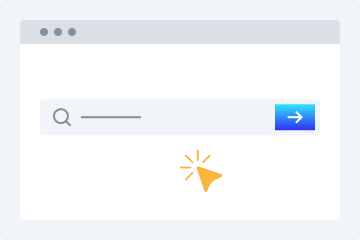
1. Introduce la URL
Copia y pega la URL del video en el campo de descarga.
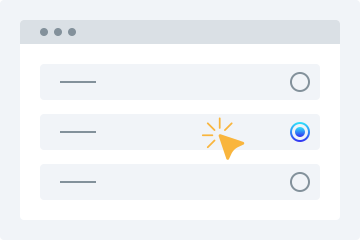
2. Selecciona la calidad
Elige la calidad de video con la que quieres descargarlo.
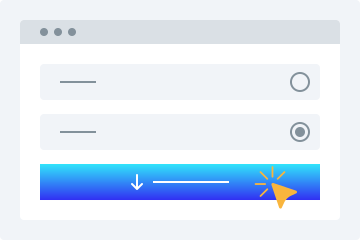
3. Descargar
Haz clic en “Descargar video” para guardarlo en tu dispositivo.
Este descargador de video online ofrece muchas funciones avanzadas para que puedas descargar videos gratis en los formatos que necesites. La herramienta te permite guardar videos disponibles públicamente de plataformas compatibles.
Fácil de usar
Nuestro descargador destaca por su interfaz amigable. Solo tienes que copiar y pegar el enlace del video y el resto lo hace la herramienta.
Múltiples opciones de calidad
Elige entre varias calidades como 360p, 480p, 720p, 1080p y 4K según tus necesidades.
Compatible con todas las plataformas
Funciona en ordenadores, tablets y smartphones para que puedas descargar videos desde cualquier dispositivo.
Vista previa del video
Después de pegar la URL, verás una vista previa reproducible para confirmar que es el archivo correcto.
No requiere instalación
No necesitas instalar software ni plugins. Solo necesitas una conexión estable a internet para descargar tus videos fácilmente.
Descargar videos es muy fácil
Descargar videos de redes sociales se vuelve mucho más sencillo con esta utilidad online. Aquí tienes algunas ventajas.
Sin registro
A diferencia de muchos descargadores, nuestra herramienta no requiere registro para guardar videos.
Un solo descargador para muchos sitios
Ya no hace falta buscar distintas herramientas para diferentes plataformas.
Descarga videos rápidamente
Nuestros algoritmos avanzados analizan el enlace en segundos y comienzan la descarga rápidamente.
Descargas para uso personal
Puedes descargar videos para uso personal según tus necesidades sin preocuparte por límites estrictos.
Why Choose videodownloader.net?
Works Where You Need It
Supports publicly accessible video links across major social platforms and media sites - ideal for saving your own posts, archiving public announcements, downloading Creative Commons content, and accessing open-license media you have the right to use.
No Software Installation Required
Our tool runs entirely in your web browser. There is no need to download, install, or update any software. This means no risk of malware, no compatibility issues with your operating system, and no storage space on your device. It works on Windows, macOS, Linux, Android, and iOS equally well.
Privacy First
We do not require registration or account creation for basic downloads. Your submitted URLs are processed temporarily and are not permanently stored on our servers. We do not track your download history or share your personal data with third parties. Your privacy is built into our service from the ground up.
Fast Processing & Multiple Quality Options
Our servers process download requests quickly, typically delivering results within seconds. Choose from multiple quality levels ranging from standard definition (360p, 480p) to high definition (720p, 1080p) and even 4K where available. You can also extract audio-only MP3 files from any video.
Copyright Responsible
We block platforms where downloading is explicitly prohibited. Our tool is built for legitimate use: saving your own content, accessing Creative Commons media, and downloading publicly available videos where permitted.
Preguntas frecuentes
¿Cómo descargo un video en mi teléfono?
- Accede a nuestra herramienta desde tu navegador.
- Introduce la URL del video deseado.
- Elige la calidad de video que prefieras.
- Pulsa “Descargar video” para guardarlo.
¿Es seguro usar el descargador de video?
Sí. Nuestra herramienta es segura y no almacenamos tus archivos descargados en nuestros servidores.
Is it legal to download videos for personal use?
This tool is intended for downloading content you own, have explicit permission to download, or that is published under an open license such as Creative Commons. This includes your own social media posts, videos shared by businesses or creators for public reuse, public domain content, and any material where the publisher has granted download rights. Always verify you have the necessary rights before downloading any content. We do not support or condone downloading copyrighted material without the rights holder’s permission, and we block platforms where downloading is explicitly prohibited by the provider.
What video formats are supported?
We primarily provide downloads in MP4 format, which is the most widely compatible video format across all devices and platforms. MP4 works natively on Windows, macOS, Android, iOS, and most smart TVs and media players. For audio extraction, we provide MP3 format at various bitrates. Additional formats may be supported depending on the source platform and available encoding options.
Does this work on iPhone / iOS?
Yes, videodownloader.net works on iPhone, iPad, and other iOS devices through the Safari browser. Since our tool is entirely web-based, there is no app to install. Simply visit our website, paste the video URL, and download. Note that iOS has certain restrictions on where downloaded files can be saved. You may need to use the Files app or a third-party document manager to access your downloaded content. For the best experience on iOS, we recommend using Safari as your browser.
How do I download a private or password-protected video?
Our tool can only access videos that are publicly accessible or videos to which you already have access (such as your own unlisted videos). We cannot bypass privacy settings, password protection, or paywalls. If a video requires you to be logged into the platform to view it, you will need to ensure you are logged in on that platform first, then copy the URL and paste it into our downloader. Note that some platforms restrict downloading of private content regardless of access.
Is my data safe when I use this tool?
Yes, your privacy and data security are important to us. We use HTTPS encryption for all data transmitted between your browser and our servers. The URLs you submit are processed temporarily on our servers to generate download links and are not permanently stored. We do not sell your personal data or share it with third parties for marketing purposes. Our full privacy policy details exactly what data we collect and how it is used. We recommend reviewing it for complete transparency.
Why is my download link not working?
Download links can fail for several reasons: the source video may have been removed or made private, your internet connection may be unstable, the file may be too large for your device's storage, or the platform may have changed its URL structure. We recommend first verifying that the video URL still works in your browser. If it does, try copying the URL again and submitting it fresh. If problems persist, our platform may be experiencing temporary issues, or the specific platform may have implemented new restrictions that we are working to support.
Can I download audio only (MP3)?
Yes, you can extract the audio track from a video as an MP3 file. This is useful for saving audio from videos you have rights to - such as your own recordings, publicly licensed lectures, open-license podcasts, or content published for free use. Please ensure you have the right to download and use the audio before extracting it.
Is there a download limit?
Free users can download videos without a strict daily limit for legitimate personal use. We apply rate limiting to ensure fair access for all users and to prevent misuse. Premium subscribers get priority processing and faster speeds. All use of this tool must comply with our Terms of Service and applicable copyright law.
How is this different from other downloaders?
Unlike tools built purely for bulk or unrestricted downloading, videodownloader.net is designed for legitimate personal use cases: saving your own social media content, downloading open-license and Creative Commons videos, and accessing publicly available media you have the right to keep. We actively block platforms where downloading is prohibited by the provider, and we maintain a clear DMCA compliance process for any content concerns.