Download Videos You Have the Right to Save
Works with publicly shared content across social platforms. Designed for saving your own posts, open-license videos, and publicly available media.

VidMedia - All Video Downloader
VidMedia - All Video Downloader
Save supported videos for offline viewing with HD quality, one-tap link detection, built-in browser, and a powerful download manager.

videodownloader.net: A responsible tool for saving publicly available content you have the right to download. Respect copyright. Download responsibly.
Comment utiliser notre téléchargeur de vidéos ?
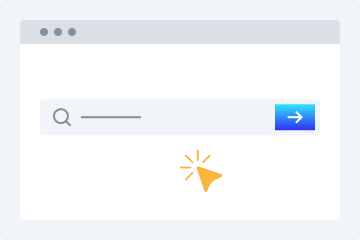
1. Saisir l’URL
Copiez et collez l’URL de la vidéo dans le champ de téléchargement.
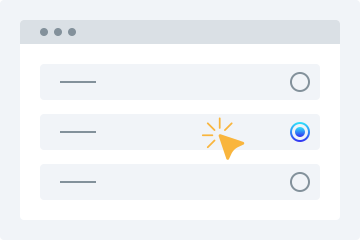
2. Choisir la qualité
Sélectionnez la qualité vidéo souhaitée.
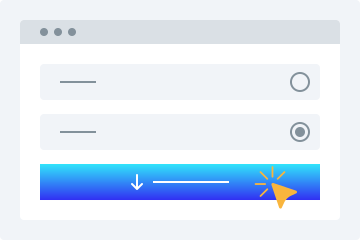
3. Télécharger
Cliquez sur « Télécharger la vidéo » pour l’enregistrer sur votre appareil.
Ce téléchargeur de vidéos en ligne offre de nombreuses fonctions avancées pour télécharger gratuitement des vidéos dans les formats souhaités. Ce service vous permet d’enregistrer facilement des vidéos accessibles publiquement depuis les plateformes prises en charge. Voici quelques-unes des principales fonctionnalités dont les utilisateurs peuvent profiter.
Facile à utiliser
Notre téléchargeur se distingue par une interface conviviale. La mise en page de ce téléchargeur gratuit en ligne en fait une option idéale pour les débutants. Il suffit de copier-coller le lien de votre vidéo favorite dans le champ ci-dessus, puis l’outil s’occupe du reste.
Plusieurs options de qualité
La qualité vidéo est un critère essentiel lors de l’enregistrement d’une vidéo. Notre téléchargeur HD vous permet de télécharger des vidéos selon la qualité souhaitée. Choisissez simplement l’option qui vous convient et enregistrez la vidéo sur votre appareil en 360p, 480p, 720p, 1080p ou 4K.
Toutes les plateformes prises en charge
Si vous souhaitez télécharger une vidéo sur n’importe quel appareil, notre service est la solution idéale. Il est compatible avec les ordinateurs, tablettes et smartphones. Vous pouvez l’utiliser facilement sur n’importe quel appareil et enregistrer vos vidéos où que vous soyez.
Aperçu vidéo
Après avoir collé l’URL dans ce téléchargeur de liens vidéo, vous obtenez un aperçu lisible de la vidéo. Cela vous permet de vérifier qu’il s’agit bien du bon fichier avant le téléchargement.
Aucune installation requise
Vous n\u2019avez besoin d\u2019installer aucun logiciel ni plugin pour utiliser cet utilitaire de t\u00e9l\u00e9chargement MP4. Une connexion internet stable suffit pour t\u00e9l\u00e9charger facilement vos vid\u00e9os.
Télécharger des vidéos en toute simplicité
Télécharger des vidéos depuis les réseaux sociaux devient beaucoup plus simple avec cet outil en ligne. Voici quelques avantages dont vous bénéficiez en l’utilisant.
Sans inscription
De nombreux téléchargeurs exigent une inscription avant utilisation. Si vous souhaitez enregistrer une vidéo sans créer de compte, cet outil est fait pour vous. Il ne demande aucune inscription pour télécharger des vidéos sur votre appareil.
Un seul téléchargeur pour plusieurs sites
Plus besoin de chercher des outils différents pour chaque plateforme. Cet utilitaire vous permet de télécharger des vidéos depuis les plateformes les plus connues.
Téléchargements rapides
Notre téléchargeur repose sur des algorithmes avancés qui produisent des résultats en quelques instants. Il récupère le lien, charge la vidéo, puis lance le traitement afin de vous proposer rapidement l’option de téléchargement.
Téléchargements pour usage personnel
Les utilisateurs peuvent télécharger des vidéos pour leur usage personnel sans se soucier de limites strictes. Le service reste disponible pour télécharger vos vidéos selon vos besoins.
Why Choose videodownloader.net?
Works Where You Need It
Supports publicly accessible video links across major social platforms and media sites - ideal for saving your own posts, archiving public announcements, downloading Creative Commons content, and accessing open-license media you have the right to use.
No Software Installation Required
Our tool runs entirely in your web browser. There is no need to download, install, or update any software. This means no risk of malware, no compatibility issues with your operating system, and no storage space on your device. It works on Windows, macOS, Linux, Android, and iOS equally well.
Privacy First
We do not require registration or account creation for basic downloads. Your submitted URLs are processed temporarily and are not permanently stored on our servers. We do not track your download history or share your personal data with third parties. Your privacy is built into our service from the ground up.
Fast Processing & Multiple Quality Options
Our servers process download requests quickly, typically delivering results within seconds. Choose from multiple quality levels ranging from standard definition (360p, 480p) to high definition (720p, 1080p) and even 4K where available. You can also extract audio-only MP3 files from any video.
Copyright Responsible
We block platforms where downloading is explicitly prohibited. Our tool is built for legitimate use: saving your own content, accessing Creative Commons media, and downloading publicly available videos where permitted.
Questions fréquentes
Comment télécharger une vidéo sur mon téléphone ?
- Accédez à notre outil de téléchargement depuis votre navigateur web.
- Saisissez l’URL de la vidéo sélectionnée dans la barre prévue.
- Choisissez la qualité vidéo souhaitée.
- Appuyez sur « Télécharger la vidéo » pour enregistrer le fichier sur votre appareil.
Le téléchargeur vidéo est-il sûr ?
Oui, notre outil est 100 % sûr. Nous ne stockons aucun de vos fichiers téléchargés sur nos serveurs.
Is it legal to download videos for personal use?
This tool is intended for downloading content you own, have explicit permission to download, or that is published under an open license such as Creative Commons. This includes your own social media posts, videos shared by businesses or creators for public reuse, public domain content, and any material where the publisher has granted download rights. Always verify you have the necessary rights before downloading any content. We do not support or condone downloading copyrighted material without the rights holder’s permission, and we block platforms where downloading is explicitly prohibited by the provider.
What video formats are supported?
We primarily provide downloads in MP4 format, which is the most widely compatible video format across all devices and platforms. MP4 works natively on Windows, macOS, Android, iOS, and most smart TVs and media players. For audio extraction, we provide MP3 format at various bitrates. Additional formats may be supported depending on the source platform and available encoding options.
Does this work on iPhone / iOS?
Yes, videodownloader.net works on iPhone, iPad, and other iOS devices through the Safari browser. Since our tool is entirely web-based, there is no app to install. Simply visit our website, paste the video URL, and download. Note that iOS has certain restrictions on where downloaded files can be saved. You may need to use the Files app or a third-party document manager to access your downloaded content. For the best experience on iOS, we recommend using Safari as your browser.
How do I download a private or password-protected video?
Our tool can only access videos that are publicly accessible or videos to which you already have access (such as your own unlisted videos). We cannot bypass privacy settings, password protection, or paywalls. If a video requires you to be logged into the platform to view it, you will need to ensure you are logged in on that platform first, then copy the URL and paste it into our downloader. Note that some platforms restrict downloading of private content regardless of access.
Is my data safe when I use this tool?
Yes, your privacy and data security are important to us. We use HTTPS encryption for all data transmitted between your browser and our servers. The URLs you submit are processed temporarily on our servers to generate download links and are not permanently stored. We do not sell your personal data or share it with third parties for marketing purposes. Our full privacy policy details exactly what data we collect and how it is used. We recommend reviewing it for complete transparency.
Why is my download link not working?
Download links can fail for several reasons: the source video may have been removed or made private, your internet connection may be unstable, the file may be too large for your device's storage, or the platform may have changed its URL structure. We recommend first verifying that the video URL still works in your browser. If it does, try copying the URL again and submitting it fresh. If problems persist, our platform may be experiencing temporary issues, or the specific platform may have implemented new restrictions that we are working to support.
Can I download audio only (MP3)?
Yes, you can extract the audio track from a video as an MP3 file. This is useful for saving audio from videos you have rights to - such as your own recordings, publicly licensed lectures, open-license podcasts, or content published for free use. Please ensure you have the right to download and use the audio before extracting it.
Is there a download limit?
Free users can download videos without a strict daily limit for legitimate personal use. We apply rate limiting to ensure fair access for all users and to prevent misuse. Premium subscribers get priority processing and faster speeds. All use of this tool must comply with our Terms of Service and applicable copyright law.
How is this different from other downloaders?
Unlike tools built purely for bulk or unrestricted downloading, videodownloader.net is designed for legitimate personal use cases: saving your own social media content, downloading open-license and Creative Commons videos, and accessing publicly available media you have the right to keep. We actively block platforms where downloading is prohibited by the provider, and we maintain a clear DMCA compliance process for any content concerns.