Download Videos You Have the Right to Save
Works with publicly shared content across social platforms. Designed for saving your own posts, open-license videos, and publicly available media.

VidMedia - All Video Downloader
VidMedia - All Video Downloader
Save supported videos for offline viewing with HD quality, one-tap link detection, built-in browser, and a powerful download manager.

videodownloader.net: A responsible tool for saving publicly available content you have the right to download. Respect copyright. Download responsibly.
Wie nutzt man unseren Video-Downloader?
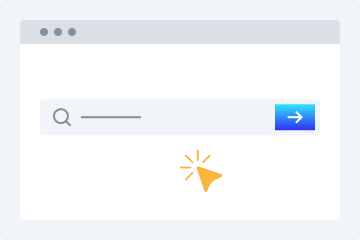
1. URL eingeben
Kopiere die Video-URL und füge sie in das Download-Feld ein.
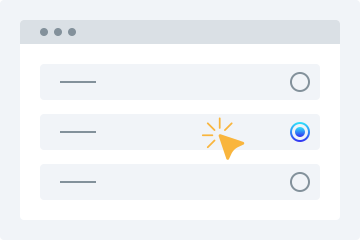
2. Qualität wählen
Wähle die Videoqualität aus, in der du das Video herunterladen möchtest.
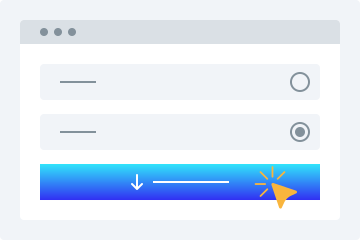
3. Herunterladen
Klicke auf „Video herunterladen“, um das Video auf deinem Gerät zu speichern.
Dieser Online-Video-Downloader bietet viele erweiterte Funktionen, mit denen du Videos kostenlos in den gewünschten Formaten herunterladen kannst. Das Tool ermöglicht es dir, öffentlich verfügbare Videos von unterstützten Plattformen einfach zu speichern. Im Folgenden findest du einige der wichtigsten Vorteile.
Einfach zu bedienen
Unser Downloader überzeugt vor allem durch seine benutzerfreundliche Oberfläche. Das Layout ist ideal für Einsteiger: Link kopieren, einfügen und den Rest erledigt unser Tool.
Mehrere Qualitätsoptionen
Videoqualität ist beim Speichern besonders wichtig. Unser HD-Video-Downloader bietet verschiedene Qualitäten wie 360p, 480p, 720p, 1080p und 4K.
Alle Plattformen unterstützt
Unser Video-Downloader funktioniert auf PCs, Tablets und Smartphones. So kannst du Videos auf jedem Gerät bequem speichern.
Videovorschau
Nach dem Einfügen der URL erhältst du eine abspielbare Vorschau, damit du sicherstellen kannst, dass es das richtige Video ist.
Keine Installation erforderlich
Du musst keine Software oder Plugins installieren. Eine stabile Internetverbindung reicht aus, um deine Videos herunterzuladen.
Videos herunterladen leicht gemacht
Mit diesem Online-Tool wird das Herunterladen von Videos aus sozialen Netzwerken sehr einfach. Hier sind einige der wichtigsten Vorteile.
Keine Registrierung
Viele Downloader verlangen eine Registrierung. Unser Tool nicht. Du kannst Videos speichern, ohne dich anzumelden.
Ein Downloader für viele Seiten
Du musst nicht mehr nach verschiedenen Tools suchen. Unser Dienst unterstützt viele bekannte Plattformen an einem Ort.
Videos schnell herunterladen
Unsere fortschrittlichen Algorithmen liefern Ergebnisse in wenigen Augenblicken und starten den Download nach der Qualitätsauswahl sofort.
Videos nach Bedarf herunterladen
Du kannst Videos für den persönlichen Gebrauch nach Bedarf herunterladen, ohne dir Sorgen um strenge Grenzen machen zu müssen.
Why Choose videodownloader.net?
Works Where You Need It
Supports publicly accessible video links across major social platforms and media sites - ideal for saving your own posts, archiving public announcements, downloading Creative Commons content, and accessing open-license media you have the right to use.
No Software Installation Required
Our tool runs entirely in your web browser. There is no need to download, install, or update any software. This means no risk of malware, no compatibility issues with your operating system, and no storage space on your device. It works on Windows, macOS, Linux, Android, and iOS equally well.
Privacy First
We do not require registration or account creation for basic downloads. Your submitted URLs are processed temporarily and are not permanently stored on our servers. We do not track your download history or share your personal data with third parties. Your privacy is built into our service from the ground up.
Fast Processing & Multiple Quality Options
Our servers process download requests quickly, typically delivering results within seconds. Choose from multiple quality levels ranging from standard definition (360p, 480p) to high definition (720p, 1080p) and even 4K where available. You can also extract audio-only MP3 files from any video.
Copyright Responsible
We block platforms where downloading is explicitly prohibited. Our tool is built for legitimate use: saving your own content, accessing Creative Commons media, and downloading publicly available videos where permitted.
Häufig gestellte Fragen
Wie lade ich ein Video auf mein Handy herunter?
- Öffne unsere Download-Funktion in deinem Browser.
- Gib die URL des gewünschten Videos in das Feld ein.
- Wähle die passende Videoqualität.
- Tippe auf „Video herunterladen“, um die Datei zu speichern.
Ist der Video-Downloader sicher?
Ja, unser Tool ist sicher. Wir speichern keine heruntergeladenen Dateien auf unseren Servern.
Is it legal to download videos for personal use?
This tool is intended for downloading content you own, have explicit permission to download, or that is published under an open license such as Creative Commons. This includes your own social media posts, videos shared by businesses or creators for public reuse, public domain content, and any material where the publisher has granted download rights. Always verify you have the necessary rights before downloading any content. We do not support or condone downloading copyrighted material without the rights holder’s permission, and we block platforms where downloading is explicitly prohibited by the provider.
What video formats are supported?
We primarily provide downloads in MP4 format, which is the most widely compatible video format across all devices and platforms. MP4 works natively on Windows, macOS, Android, iOS, and most smart TVs and media players. For audio extraction, we provide MP3 format at various bitrates. Additional formats may be supported depending on the source platform and available encoding options.
Does this work on iPhone / iOS?
Yes, videodownloader.net works on iPhone, iPad, and other iOS devices through the Safari browser. Since our tool is entirely web-based, there is no app to install. Simply visit our website, paste the video URL, and download. Note that iOS has certain restrictions on where downloaded files can be saved. You may need to use the Files app or a third-party document manager to access your downloaded content. For the best experience on iOS, we recommend using Safari as your browser.
How do I download a private or password-protected video?
Our tool can only access videos that are publicly accessible or videos to which you already have access (such as your own unlisted videos). We cannot bypass privacy settings, password protection, or paywalls. If a video requires you to be logged into the platform to view it, you will need to ensure you are logged in on that platform first, then copy the URL and paste it into our downloader. Note that some platforms restrict downloading of private content regardless of access.
Is my data safe when I use this tool?
Yes, your privacy and data security are important to us. We use HTTPS encryption for all data transmitted between your browser and our servers. The URLs you submit are processed temporarily on our servers to generate download links and are not permanently stored. We do not sell your personal data or share it with third parties for marketing purposes. Our full privacy policy details exactly what data we collect and how it is used. We recommend reviewing it for complete transparency.
Why is my download link not working?
Download links can fail for several reasons: the source video may have been removed or made private, your internet connection may be unstable, the file may be too large for your device's storage, or the platform may have changed its URL structure. We recommend first verifying that the video URL still works in your browser. If it does, try copying the URL again and submitting it fresh. If problems persist, our platform may be experiencing temporary issues, or the specific platform may have implemented new restrictions that we are working to support.
Can I download audio only (MP3)?
Yes, you can extract the audio track from a video as an MP3 file. This is useful for saving audio from videos you have rights to - such as your own recordings, publicly licensed lectures, open-license podcasts, or content published for free use. Please ensure you have the right to download and use the audio before extracting it.
Is there a download limit?
Free users can download videos without a strict daily limit for legitimate personal use. We apply rate limiting to ensure fair access for all users and to prevent misuse. Premium subscribers get priority processing and faster speeds. All use of this tool must comply with our Terms of Service and applicable copyright law.
How is this different from other downloaders?
Unlike tools built purely for bulk or unrestricted downloading, videodownloader.net is designed for legitimate personal use cases: saving your own social media content, downloading open-license and Creative Commons videos, and accessing publicly available media you have the right to keep. We actively block platforms where downloading is prohibited by the provider, and we maintain a clear DMCA compliance process for any content concerns.