Download Videos You Have the Right to Save
Works with publicly shared content across social platforms. Designed for saving your own posts, open-license videos, and publicly available media.

VidMedia - All Video Downloader
VidMedia - All Video Downloader
Save supported videos for offline viewing with HD quality, one-tap link detection, built-in browser, and a powerful download manager.

videodownloader.net: A responsible tool for saving publicly available content you have the right to download. Respect copyright. Download responsibly.
如何使用我们的视频下载器?
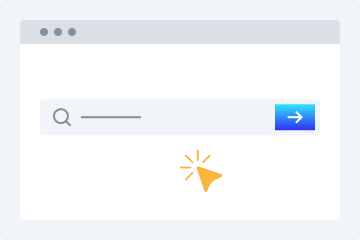
1. 输入链接
复制并粘贴视频链接到下载输入框中。
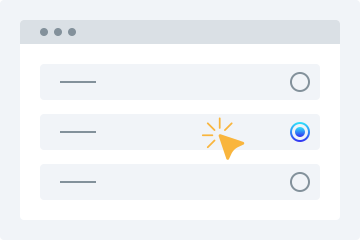
2. 选择清晰度
选择你想下载的视频清晰度。
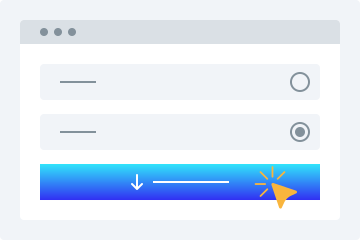
3. 下载
点击“下载视频”按钮,将视频保存到你的设备。
这款在线视频下载器具有许多高级功能,可帮助你以所需格式免费下载视频。该平台让你轻松从受支持的平台保存公开可用的视频。以下是用户可享受的一些主要功能。
易于使用
让我们的下载器脱颖而出的最大优势之一,是它非常友好的用户界面。这个免费在线视频下载器的布局对新手也很友好。你只需将喜欢的视频链接复制并粘贴到上方输入框中,其余操作由工具完成。
多种清晰度选项
保存视频时,画质通常是用户最关心的问题。我们的高清视频下载器允许你按照所需清晰度保存视频。你可以选择 360p、480p、720p、1080p 和 4K 等分辨率。
支持所有平台
如果你想在任意设备上下载视频,我们的工具就是理想选择。它兼容电脑、平板和智能手机,你可以在任何设备上轻松访问并随时保存视频。
视频预览
当你在此链接视频下载器中输入 URL 后,会看到可播放的视频预览,帮助你确认是否就是想要下载的文件。
无需安装
使用这项 MP4 视频下载功能时,无需安装任何软件或插件。你只需要稳定的网络连接,就能轻松下载你的视频。
让视频下载更简单
借助这款在线视频下载工具,从社交媒体平台下载视频会变得非常简单。以下是你在使用它时可以获得的一些优势。
无需注册
许多下载器在使用前需要注册。如果你厌倦了注册流程,并想找一个无需创建账号即可保存视频的工具,那么这款网页视频下载器非常适合你。它不会要求你注册即可将在线视频保存到设备中。
一个下载器支持多个网站
你无需再为不同网站寻找不同的下载工具。该工具可帮助你轻松从热门平台下载在线视频。
快速下载视频
我们的工具基于先进算法,可在短时间内生成结果。它会抓取链接并处理视频,在你选择清晰度后快速开始处理并提供下载选项。
下载视频供个人使用
用户可以根据需要下载视频供个人使用,而无需担心严格的限制。
Why Choose videodownloader.net?
Works Where You Need It
Supports publicly accessible video links across major social platforms and media sites - ideal for saving your own posts, archiving public announcements, downloading Creative Commons content, and accessing open-license media you have the right to use.
No Software Installation Required
Our tool runs entirely in your web browser. There is no need to download, install, or update any software. This means no risk of malware, no compatibility issues with your operating system, and no storage space on your device. It works on Windows, macOS, Linux, Android, and iOS equally well.
Privacy First
We do not require registration or account creation for basic downloads. Your submitted URLs are processed temporarily and are not permanently stored on our servers. We do not track your download history or share your personal data with third parties. Your privacy is built into our service from the ground up.
Fast Processing & Multiple Quality Options
Our servers process download requests quickly, typically delivering results within seconds. Choose from multiple quality levels ranging from standard definition (360p, 480p) to high definition (720p, 1080p) and even 4K where available. You can also extract audio-only MP3 files from any video.
Copyright Responsible
We block platforms where downloading is explicitly prohibited. Our tool is built for legitimate use: saving your own content, accessing Creative Commons media, and downloading publicly available videos where permitted.
常见问题
如何在手机上下载视频?
- 通过浏览器访问我们的视频下载工具。
- 在输入框中输入所选视频的 URL。
- 选择所需的视频清晰度。
- 点击“下载视频”按钮,将目标视频保存到你的设备。
视频下载器使用安全吗?
是的,我们的工具可安全使用。我们不会在服务器上存储你下载的文件。
Is it legal to download videos for personal use?
This tool is intended for downloading content you own, have explicit permission to download, or that is published under an open license such as Creative Commons. This includes your own social media posts, videos shared by businesses or creators for public reuse, public domain content, and any material where the publisher has granted download rights. Always verify you have the necessary rights before downloading any content. We do not support or condone downloading copyrighted material without the rights holder’s permission, and we block platforms where downloading is explicitly prohibited by the provider.
What video formats are supported?
We primarily provide downloads in MP4 format, which is the most widely compatible video format across all devices and platforms. MP4 works natively on Windows, macOS, Android, iOS, and most smart TVs and media players. For audio extraction, we provide MP3 format at various bitrates. Additional formats may be supported depending on the source platform and available encoding options.
Does this work on iPhone / iOS?
Yes, videodownloader.net works on iPhone, iPad, and other iOS devices through the Safari browser. Since our tool is entirely web-based, there is no app to install. Simply visit our website, paste the video URL, and download. Note that iOS has certain restrictions on where downloaded files can be saved. You may need to use the Files app or a third-party document manager to access your downloaded content. For the best experience on iOS, we recommend using Safari as your browser.
How do I download a private or password-protected video?
Our tool can only access videos that are publicly accessible or videos to which you already have access (such as your own unlisted videos). We cannot bypass privacy settings, password protection, or paywalls. If a video requires you to be logged into the platform to view it, you will need to ensure you are logged in on that platform first, then copy the URL and paste it into our downloader. Note that some platforms restrict downloading of private content regardless of access.
Is my data safe when I use this tool?
Yes, your privacy and data security are important to us. We use HTTPS encryption for all data transmitted between your browser and our servers. The URLs you submit are processed temporarily on our servers to generate download links and are not permanently stored. We do not sell your personal data or share it with third parties for marketing purposes. Our full privacy policy details exactly what data we collect and how it is used. We recommend reviewing it for complete transparency.
Why is my download link not working?
Download links can fail for several reasons: the source video may have been removed or made private, your internet connection may be unstable, the file may be too large for your device's storage, or the platform may have changed its URL structure. We recommend first verifying that the video URL still works in your browser. If it does, try copying the URL again and submitting it fresh. If problems persist, our platform may be experiencing temporary issues, or the specific platform may have implemented new restrictions that we are working to support.
Can I download audio only (MP3)?
Yes, you can extract the audio track from a video as an MP3 file. This is useful for saving audio from videos you have rights to - such as your own recordings, publicly licensed lectures, open-license podcasts, or content published for free use. Please ensure you have the right to download and use the audio before extracting it.
Is there a download limit?
Free users can download videos without a strict daily limit for legitimate personal use. We apply rate limiting to ensure fair access for all users and to prevent misuse. Premium subscribers get priority processing and faster speeds. All use of this tool must comply with our Terms of Service and applicable copyright law.
How is this different from other downloaders?
Unlike tools built purely for bulk or unrestricted downloading, videodownloader.net is designed for legitimate personal use cases: saving your own social media content, downloading open-license and Creative Commons videos, and accessing publicly available media you have the right to keep. We actively block platforms where downloading is prohibited by the provider, and we maintain a clear DMCA compliance process for any content concerns.